
1D60.30 • Projectile Motion: Monkey and Hunter (updated)
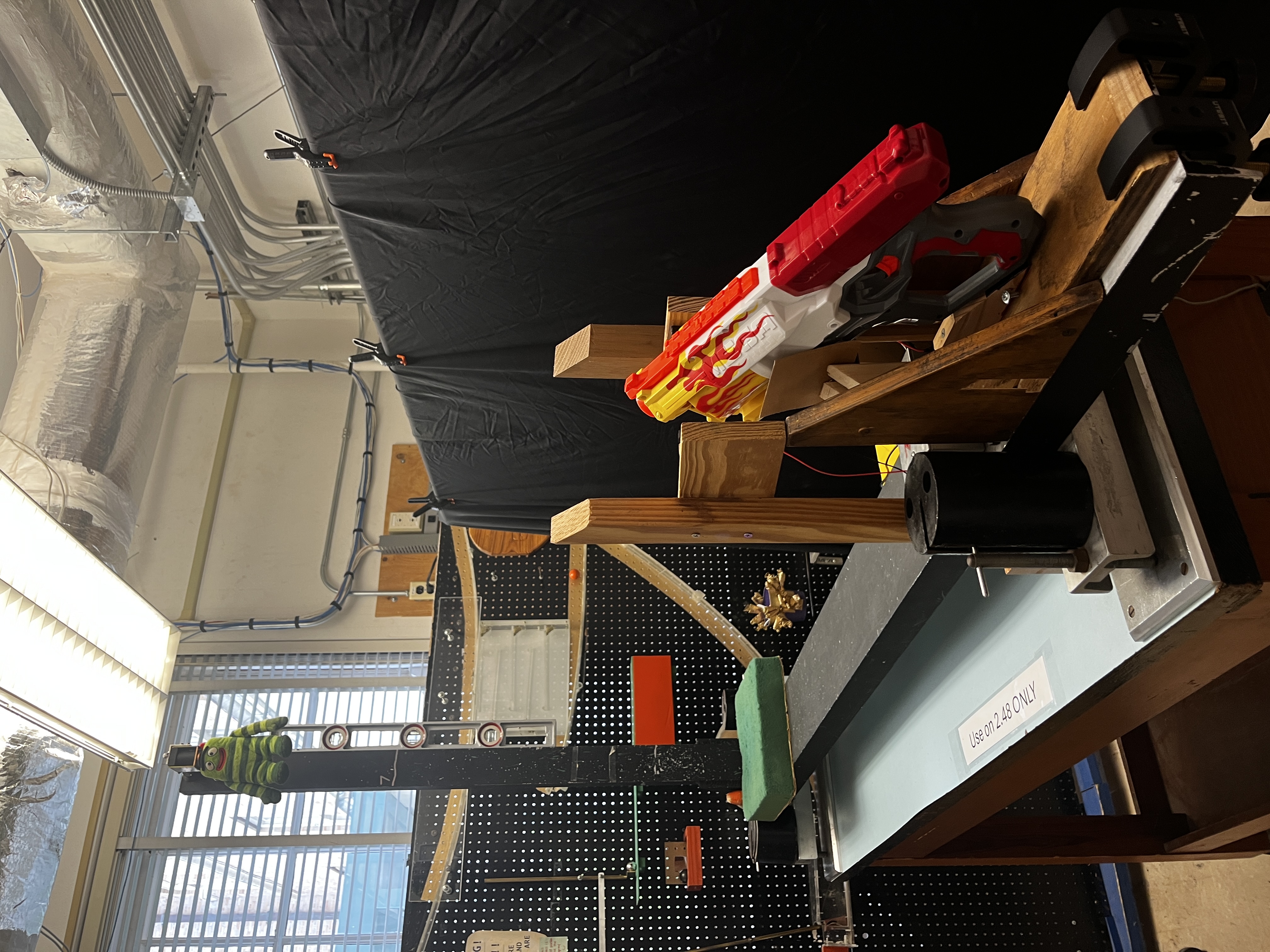
Photo shows the demonstration used at the University of Texas at Austin
Concepts Conveyed:
Projectile motion and the independence of horizontal and vertical motion — the classic "monkey and hunter" problem. It demonstrates that a projectile aimed directly at a target will still hit it even if the target is released and falls at the same instant, because both the projectile and the target accelerate downward at the same rate under gravity.
Instructions / Notes:
WARNING: The launcher can be released quite easily and fast, so you may get hurt. Make sure your fingers are out of the way at all times as much as possible. Try not to disrupt the release mechanism once set before shooting.
An instruction video is below.- After plugging into the wall the green Arduino light should turn on.
- Flip on the silver on/off switch to turn on the electromagnet.
- Press the reset button on the Arduino.
- Load the Nerf gun with the modified dart, when pointing the gun at yourself the cylinder moves counterclockwise and you will have to manually move the cylinder at least one slot after cocking the gun.
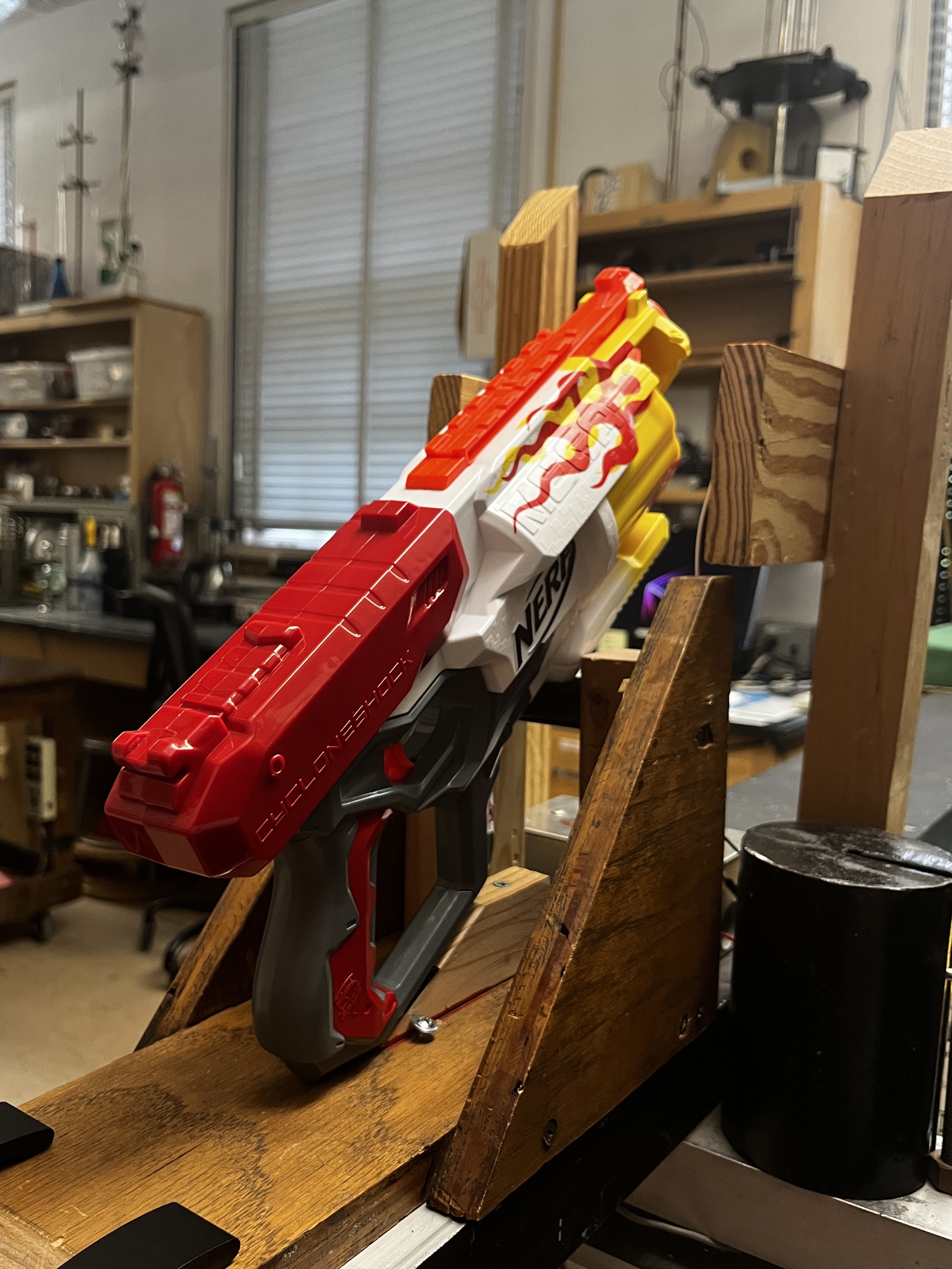
- Once the dart is in position to fire, carefully place the gun onto the stand. The handle of the gun will not be completely flush with the wooden ramp, and take care not to forcefully push down the foam adjusting the launch angle. The video displays the small crook in the underside of the gun that needs to be set on the foam.
- From the left of the gun (as its now pointing forwards) peer into the small gap between the tip of the dart and the beginning of the barrel. You should be able to see the opposing motion sensor piece clearly.
- If the orange Arduino light came on while placing the gun, press the reset button again once you have it set and place the “monkey” into the “tree”.
- You will have to slightly manually aim the gun, just try to point the front of the gun at the center of the black beam that makes up the “tree”
- In order to get the sensors to trigger it can sometimes be helpful to slightly push the gun forwards from the position it rests at.
- When the trigger is pulled, the “monkey” should automatically drop from the “tree” and the dart should meet it in mid-air.
- The orange Arduino light turning on means the beam of the motion sensors has been broken, if the dart fires without triggering this simply try again.
Notes for Staff:
- Test the demo when possible before giving it to professors, as if you can personally figure out the correct position and aim of the gun it is much easier to help the professors
- When setting out the demo in the classroom, perform a manual test of the circuit by using your hand to break the motion sensor beam and drop the “monkey” after first plugging it in.
- Once you are sure the circuit is working properly, it is okay to simply leave it plugged in and the silver switch on for the duration of the lecture until the professor uses it. The electronics will not be damaged.
- The small piece of cardboard wedged and taped on the stand is a vital part, please do not remove it.
- Do not leave the gun on the stand when not firing it; leaving the gun stored there or sitting there for a long period of time can deform the foam and mess with the launch angle. The gun should be stored on its side on the black bar.
- When putting away the demo, remember to turn off the silver switch.
part 1
part 2
part 3
part 4
Last updated on September 9, 2026